Where it started
The project started with a problem I experience personally. I like to budget and keep track of my spending, so I used to write down my monthly budget in a notebook. However, I often found that my actual spending did not match the plan. At the end of the month, I could see that I had spent money, but I could not easily tell where it went without manually reviewing transactions across my bank accounts.
For people using more than one bank account, this becomes even more difficult. Tracking expenses can mean downloading statements, checking credit alerts, searching emails, and manually sorting each transaction into a category. It is time-consuming, easy to abandon, and does not give people a clear picture of their financial life.
Nigerian professionals and freelancers, especially people managing multiple accounts or irregular income
The challenge
Financial freedom starts with awareness. Before someone can budget effectively, save consistently, or reduce debt, they need to understand how money moves through their life.
I wanted to design a product for people who earn income but still reach the end of the month wondering what happened to their money. This includes 9-to-5 professionals with side hustles, people spending regularly on transport, food, family support, and other daily needs, as well as freelancers whose income arrives at irregular times.
The challenge was to make financial tracking feel less manual and less intimidating. I wanted Kobo Wise to help users move from “I know I spent money, but I do not know where it went” to “I understand my spending and can decide what to do differently.”
Research and insights
I spoke with between three and seven friends to understand how they currently track their spending and what makes the process difficult.
how my friends track money today
- Write the monthly budget in a notebook
- Spend through the month
- Check credit alerts and search emails
- Download statements from more than one bank
- Sort every transaction into a category by hand
- Cross-check spending against the plan
- Get tired and give up. The record is incomplete.
A repeated pattern was the amount of manual work involved. People had tried expense-tracking tools, but many required them to enter every transaction themselves. This creates gaps in the data: when people are busy or forget to log a purchase, their spending record becomes incomplete and less useful.
One participant used an existing finance app with many features but described a steep learning curve. She had to watch tutorials before she could use it confidently. Although she eventually found it useful, this showed me that feature-rich tools can still feel inaccessible when the experience is complex.
“After every purchase, I have to go back and track what I spent so I know where my money is going. Before I started using the app I use now, I wrote everything down and kept cross-referencing it. It was so tasking, that's why I switched to the app.”
These conversations shaped two key design principles for Kobo Wise:
- Reduce manual effort: Help users collect and organise transaction information automatically where possible.
- Keep the experience simple: Offer useful financial insight without making users learn a complicated system before they can benefit from it.
Product direction
While exploring the business model, we looked closely at what the product would cost to run and how it could sustain itself at an early stage. That shaped a lean first version, with room to grow as the product does.
This was an important lesson in balancing an ideal product experience with what is financially sustainable to build.
A note on what's here: Kobo Wise is still in development, so I've kept some product details private. I'm happy to walk through the full case study on a call.
Designing the experience
Brand and visual direction
I began by exploring the brand and visual direction. Money can feel serious, stressful, and restrictive, but I wanted Kobo Wise to make financial awareness feel engaging. Budgeting can be empowering when people can clearly see their progress, so I aimed to create an experience that felt approachable rather than overwhelming.
I explored multiple visual directions before landing on a calm green palette. Green supports a focused, reassuring experience and connects naturally with themes of growth and financial wellbeing.
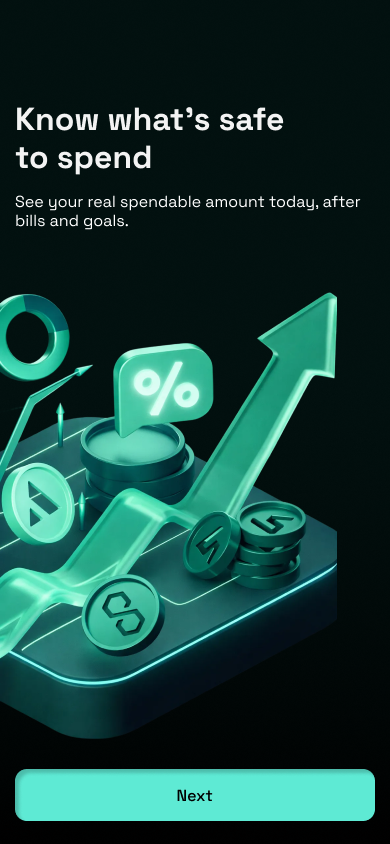
dark and neon
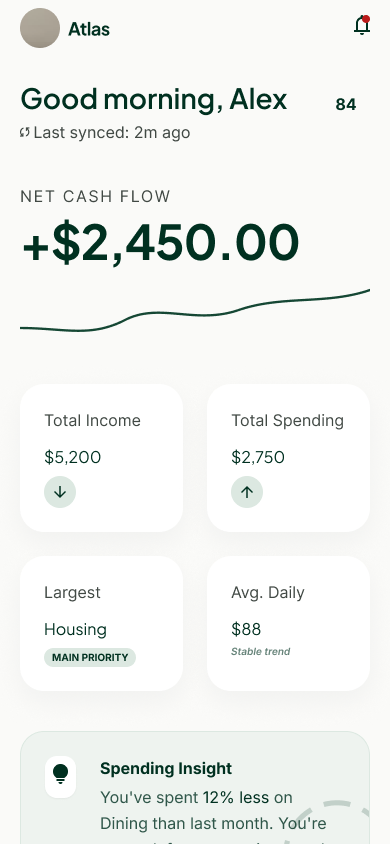
Atlas, the product's first name
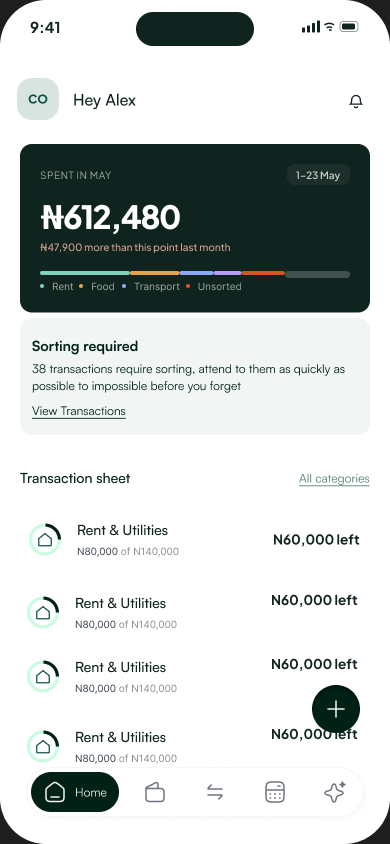
darker green cards
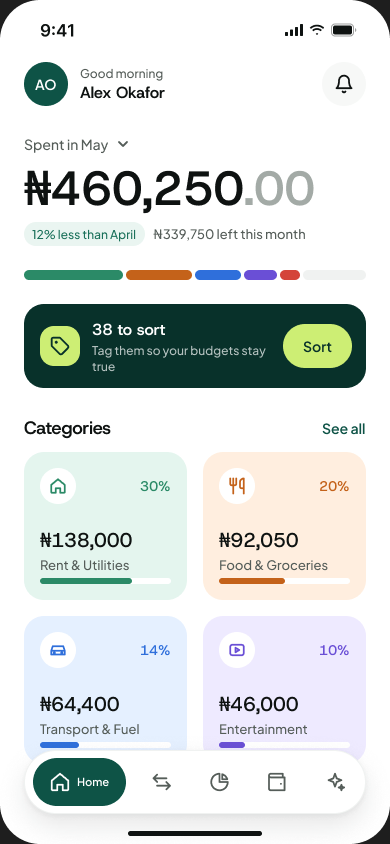
closer to final
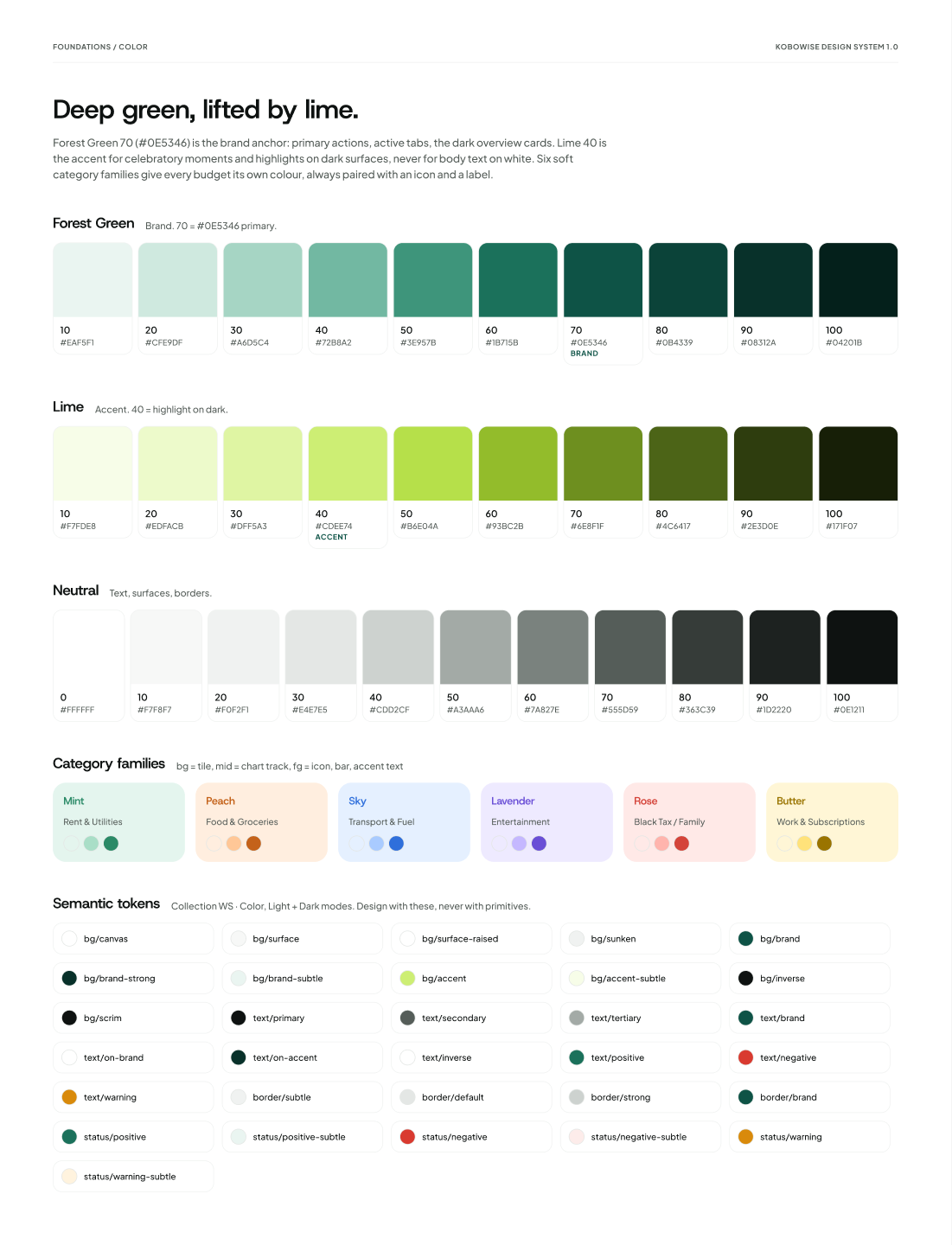
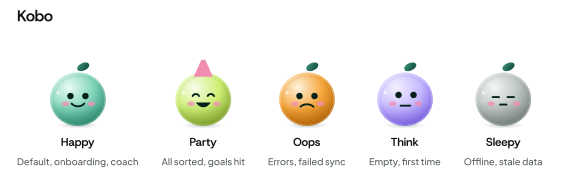
A financial assistant, not only a dashboard
I also designed Kobo Wise to feel like a financial assistant, not only a dashboard. A mascot appears throughout the experience to help users understand what is happening in their finances and guide them through key moments in the app. This adds personality while making financial information feel more approachable.
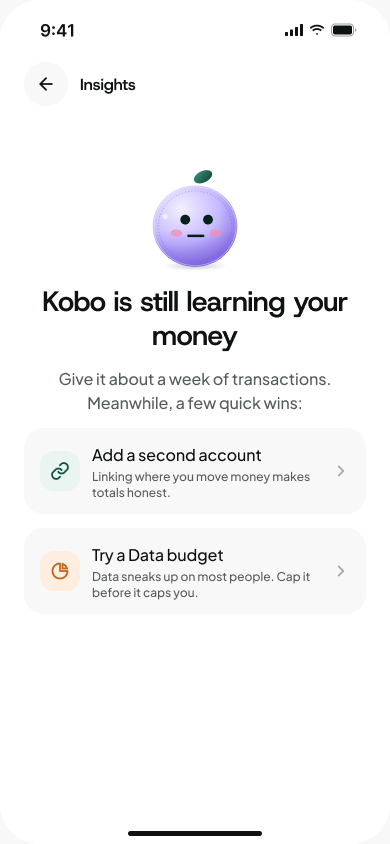
while it learns
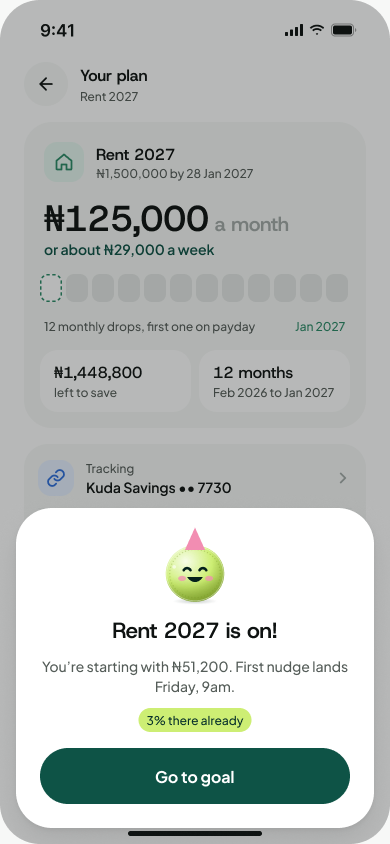
celebrating a new goal
How AI supported the process
AI supported the early stages of the process by helping me explore concept directions, draft copy, generate visual assets, and speed up prototyping. This made it easier to test and refine ideas before development.
Key features
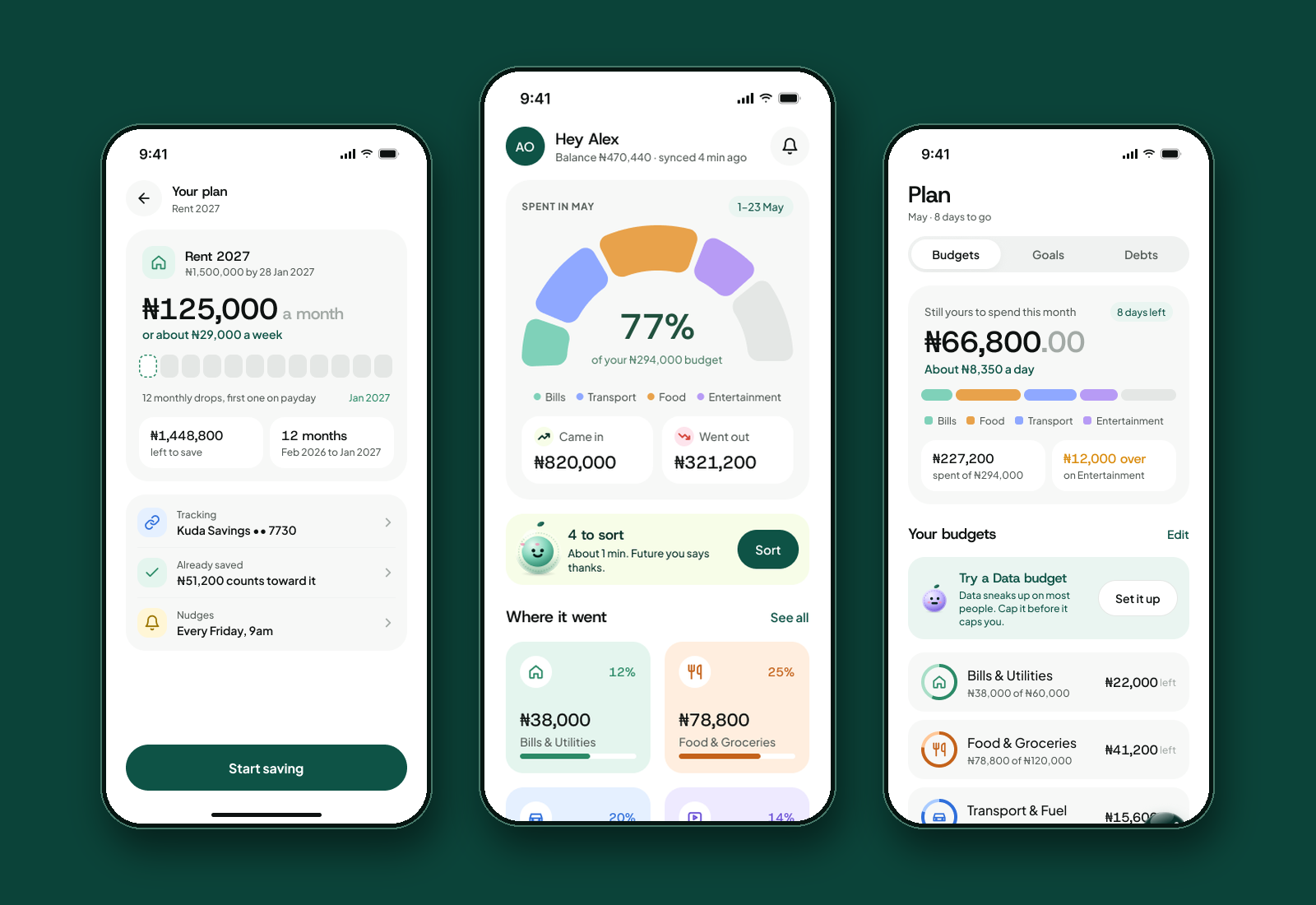
Kobo Wise is designed around the features users need to understand, plan, and take action on their money:
Automatic capture and recurring transactions
Helps users identify regular spending and better understand repeat financial commitments.
Spending categories
Groups transactions so users can see how much they spend on areas such as food, transport, and other regular expenses.
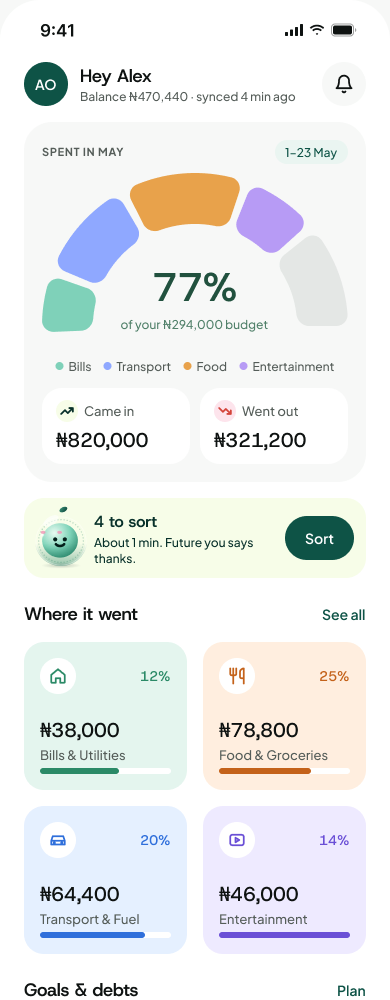
home: where it went
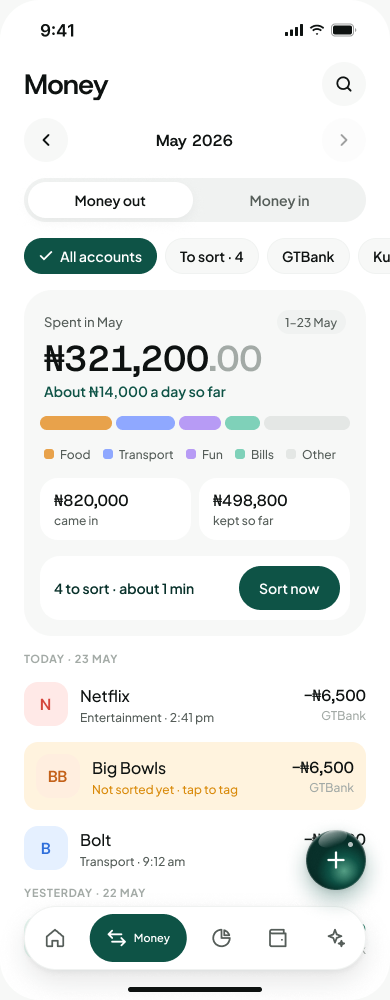
every transaction, sorted
Budget creation and tracking
Helps users set budgets that match their personal spending patterns and monitor progress.
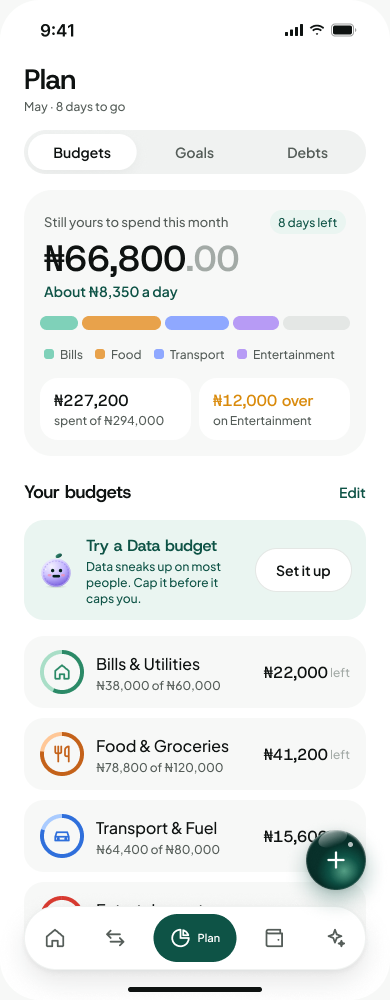
all budgets
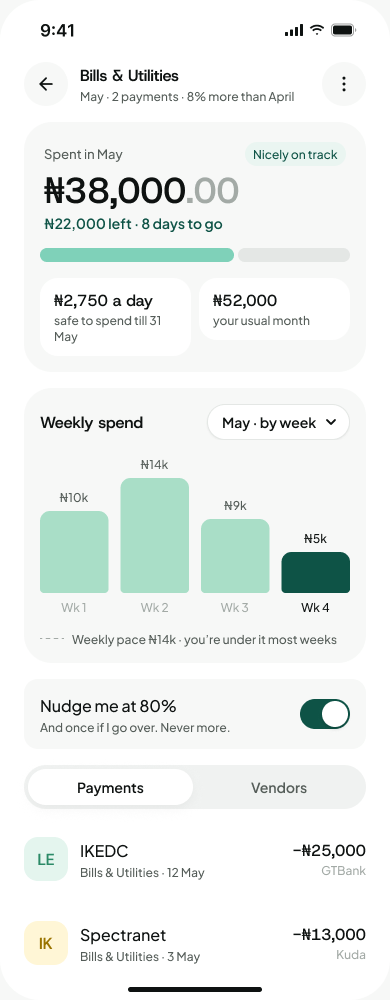
one budget, up close
Savings-goal tracking
Allows users to set and follow personal financial goals.
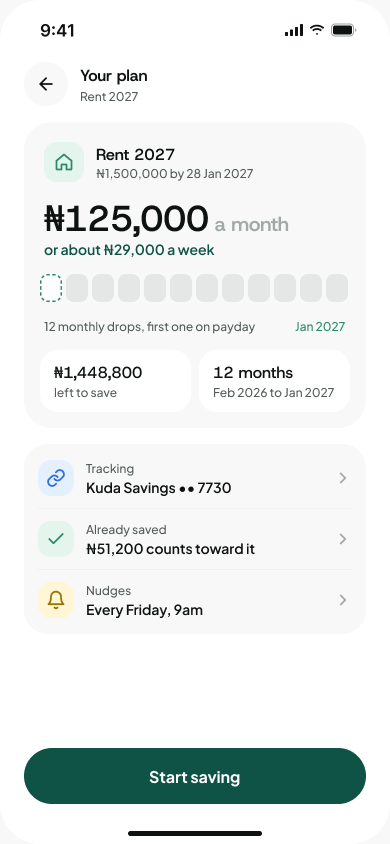
the plan
Debt tracking
Gives users a place to keep track of debts alongside the rest of their finances.
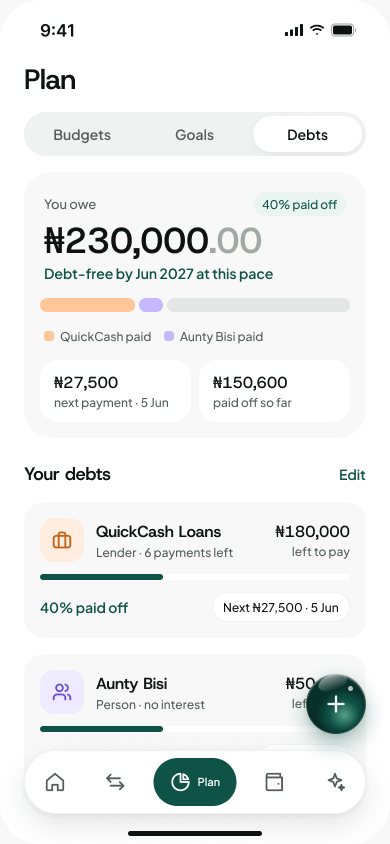
all debts
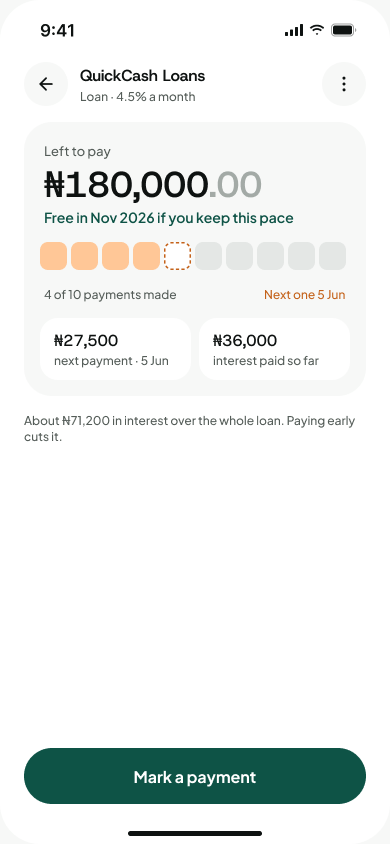
one debt, up close
Reflection
Kobo Wise began with a personal frustration, but research showed that the problem extends to many people trying to manage money across busy lives, multiple accounts, and inconsistent income.
The project has reinforced that good financial products should not only present numbers; they should help people understand those numbers and make decisions with confidence. It also showed me that product decisions are not made only from user needs. Cost, sustainability, and how a product can realistically reach users matter too.
Kobo Wise is currently in development, and the next focus is validating the experience with users as the product moves closer to launch.